Virtual Playing Orchestra: “It covers all the needs” – vitalker
[Downloaded 162,393 times since version 1.0]
Discover the power of Virtual Playing Orchestra, a free orchestral sample library that offers an extensive selection of section and solo instruments for woodwinds, brass, strings, and percussion. Download the library and start exploring the carefully crafted sounds and essential articulations that ensure a realistic playing experience. Check out some of the compositions created using these orchestral instrument sounds and take your music to the next level with Virtual Playing Orchestra today!
Download Virtual Playing Orchestra 3.3
Virtual Playing Orchestra consists of 2 parts: wave files and scripts. These two things work together. The scripts configure the use of the wave files. You need to download the “Wave Files” plus at least one of the “Standard Orchestra” sfz scripts or the “Performance Orchestra” sfz scripts (depending on how you want to control the sounds) then unzip each zip file in the same place and in the same way as you did with the wave files, or wherever your DAW (digital audio workstation) can find the files you unzip. Either way, all .zip files need to be unzipped in the same place and in the same way (i.e. extract the .zip files into the same sub-directory, “Virtual-Playing-Orchestra3” for example).
WHEN UNZIPPING THE FILES, IF YOU ARE ASKED IF YOU WANT TO OVERWRITE EXISTING FILES, SAY YES.
 DOWNLOAD WAVE FILES
PLUS ONE OR BOTH ORCHESTRAS
What Is Virtual Playing Orchestra?
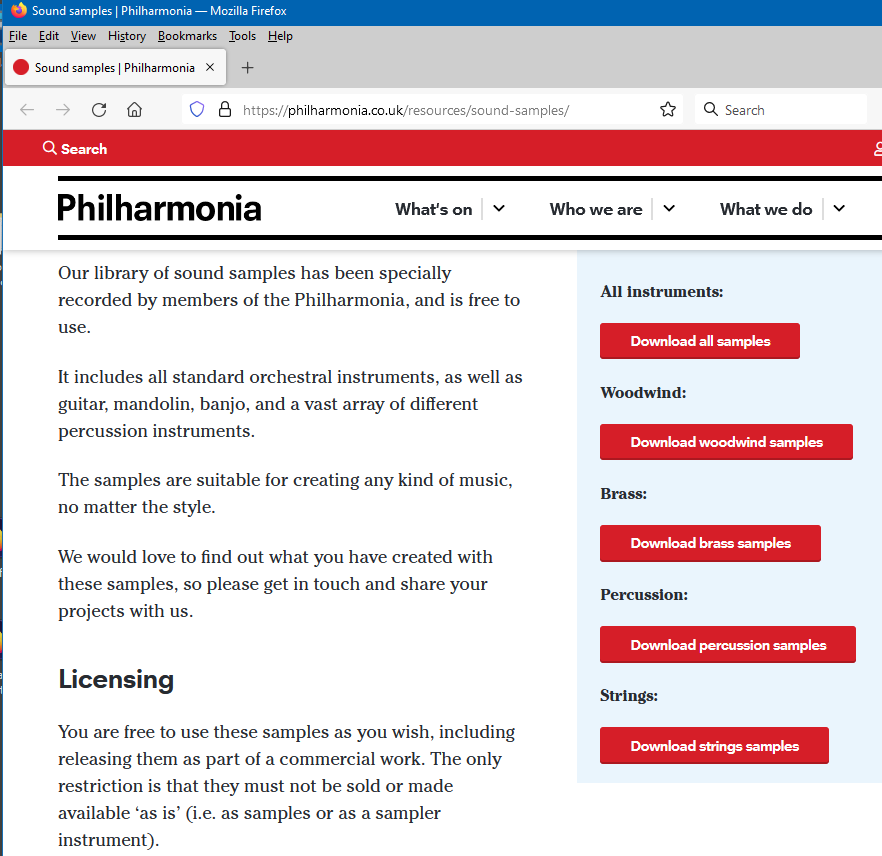
Virtual Playing Orchestra is a free orchestral sample library, in sfz format, that was created to emulate multiple articulations of the solo and section instruments from a full orchestra using the best free samples from Sonatina Symphonic Orchestra, No Budget Orchestra, VSCO2 Community Edition, University of Iowa, Philharmonia Orchestra and extra free samples from Mattias Westlund, author of Sonatina Symphonic Orchestra.
The plan was to start with Sonatina Symphonic Orchestra, add new samples from Mattias Westlund and samples from newly available sources that had recently become available to create what I would like to see from a Sonatina Symphonic Orchestra 2.0.
I’ve listened to every single sample that made it’s way into this library (and continue to do so as I use this sample library in my own music), and have done my best to replace any noisy samples, ensure each sample plays in tune, each note peaks at about the same volume and is panned in the center of the stereo field. I’m hoping this scrutiny will result in me being able to provide the best, most complete, free orchestral sample library available.
Hear Virtual Playing Orchestra Perform
Morning of the Battle (by Battersby) *piano, taiko drums not included
Better Days (by Hennessey, Battersby) *piano, drum set not included
When I Get Over You (by Klassen, Battersby) *piano not included
>>> More music, blog posts on the home page <<<
Mod wheel doesn’t work? DAW support? How to use? Licensing? Cross Faded Brass? See the Frequently Asked Questions page:
Features:
- ALL sustain samples are looped. Use this power responsibly! These samples were not looped to create musicians with infinite lung capacity but instead were created because many of the samples were too short.
- Section and solo instruments
- Sustain, normal, staccato, accented articulations for all strings, brass, woodwinds
- Pizzicato for all strings
- Tremolo for all strings sections (plus tremolo for solo violin)
- Articulations can be loaded individually or as part of a key switch patch (in the standard orchestra)
- Articulations are selected based on how you play a note (in the performance orchestra)
- Round robin for staccato strings to simulate up and down strokes of the bow
- 2 velocity layers for trumpets, french horns, trombones
- A light randomization of pitch and volume when repeating notes, like real players
- All samples have been checked (and corrected if necessary) for tuning, panning issues
- All samples volumes have been equalized so max volume is approximately the same value
- All instruments are set to only play within their proper note range
- All instruments (in the standard orchestra) include a general purpose articulation called “Normal-mod-wheel”. This is effectively a sustain patch with a fast attack, but the mod wheel reduces the rate of the attack, for the times when you don’t want the slower crescendo of the sustain patch, but you still want a sustained note.
- General purpose patch for full string section (violins + violas + cello + bass in a single patch spread across the keyboard)
- General purpose patch for full brass section (trumpet + french horn + trombone + tuba in a single patch spread across the keyboard)
- General purpose patch for full woodwinds section (piccolo + flute + oboe + clarinet + english horn + bassoon in a single patch spread across the keyboard)
Requirements
- REVERB! – These instruments are from multiple sources. To make them sound like they belong in the same room, and to make them sound more like real orchestral instruments, REVERB IS ESSENTIAL.
- An sfz player. You load .sfz files (these control how the sound samples are to be used) into an sfz player (listed below), in order to play the chosen instrument.
- Suspension of disbelief. With free orchestra samples, there are limitations. I tried to do the best, with the best samples that were available to me.
Supported Sfz Players
This library is known to work with the following .sfz players. It may work with others, but I don’t know. If I’m told it works with others, I’ll list them here.
Sforzando, Garritan Aria Player, LinuxSampler*, MuseScore, sfizz, TX16Wx
* with LinuxSampler, in key switch patches, default selection of a sound (typically “sustain”) doesn’t automatically work. A key switch key must be pressed before any sound will play. Also, patches that use the MOD wheel for volume control or dynamic cross fading (.sfz files with DXF or PERF in the name) may not work properly since linuxsampler apparently doesn’t permit any controller to control more than one parameter at a time however, I’ve been told that editing the .sfz files and replacing “gain_cc1” with “volume_oncc1” solves the problem. (thanks to Kevin Haines).
Installation
Unzip the downloaded files somewhere that your Digital Audio Workstation (DAW) can find them, then load whichever instrument .sfz file you want into your sfz player (like Sforzando) within your DAW.
You must unzip both the zip file for the .sfz scripts and the zip file for the .wav files to the same destination and in the same way (i.e. extract the .zip files into the same sub-directory, “Virtual-Playing-Orchestra3” for example). If you are asked to overwrite files, say yes. This library requires both downloads (one of the .sfz script downloads and the .wav download) to function.
If you have installed and unzipped the files correctly, you should have a sub directory called “Virtual-Playing-Orchestra3” containing folders like this:
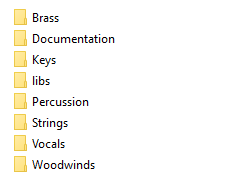
*** The “libs” directory must be present as shown in the picture above ***
So, if everything is installed correctly as show in the picture above, all the directories: Brass, Documentation, Keys, libs, Percussion, Strings, Vocals and Woodwinds are in the same place. If not, then you need to move them into the same place.
The “libs” directory contains all the .wav sample files (the actual sounds of each instrument). The other directories contain the various scripts (which use the .wav files) for each orchestra section.
How to use
To use the instruments in this orchestral sample library, it’s necessary to have an sfz player loaded onto a track in your DAW (Digital Audio Workstation). An sfz player is a plugin that can read the .sfz files and play back a sound when a key is pressed on your MIDI controller. You will have to explore the .sfz player to understand how to load the .sfz files but one way, at least with the free Sforzando sfz player, is to simply drag and drop a .sfz file into Sforzando.
I’ve provided a few different .sfz variations for each instrument. There are SOLO files, where it’s the sound of a single player, there are SEC files for the sound of multiple players playing in unison. There are a few articulations (methods of playing) such as:
- sustain – long held notes that start slowly
- staccato – short choppy notes
- normal MOD wheel – long held notes that start quickly but the MOD wheel can adjust how quickly the note starts
- accent – an initial quick sound followed by a slightly delayed sustain
- tremolo – for the strings only, this is similar to the sustain but the player shakes the bow back and forth while playing the note
- pizzicato – for strings only, the player plucks the string
- DXF – only available for trumpet, french horn and trombone in the standard orchestra, these patches use the mod wheel to control the dynamic cross fade between quiet and loud samples for a given note as the volume increases with the movement of the mod wheel.
- KS – these are key switched patches. Rather than needing to load each of the above into a separate instance of a .sfz player, load a KS patch instead and use a special MIDI note to change which articulation will be used. Key switched .sfz file names are in the form KS-XX. The XX indicates where on a MIDI keyboard the key switches start. KS-C2 for example, indicates that pressing C2 will cause the sustain articulation to be used. See the documentation for the Standard or Performance libraries (links in the download area) to learn which keys select which articulation for each instrument
Special thanks to those who listened to the pre-releases and offered feedback: Mattias Westlund (from Sonatina Symphonic Orchestra), Otto Halmén (see his Youtube channel), Sam Gossner (from Versilian Studios) Michael Willis (responsible for debugging for LinuxSampler), bigcat1969, Robin, and I also want to thank those who help spread the word and recommend Virtual Playing Orchestra to people looking for a free orchestra sample library.
If you like this free orchestral sample library and you compose something with it, feel free to leave a comment down below with a link to your composition for others to hear.
Licensing
Using this library to make music
I enforce no restrictions on using this library to make music, even for commercial purposes and personally knowing the intention of the contributors, I feel comfortable that there are no intended restrictions on the creation of music made with this sample library, and no requirement for attribution to the sources of the samples is intended. The purpose of choosing the individual licenses was solely to prevent repackaging and or re-selling of the samples without giving appropriate credit. However, please read the full licensing information below and see the screen captures supporting my use of contributing sample libraries.
Repackaging, redistributing or selling this library
If you want to modify, repackage or redistribute the library, licensing is a little complicated since different licenses apply to different parts of the library (see the source sfz files and see below) but generally, you can safely copy, redistribute, modify whatever you want provided appropriate credit is given to creators of the content used or at the very least, link back to my site which gives credit to the creators of the various content of this sample library and that any derived samples or library is kept for personal use only or is given away for free.
I do not feel it is right to repackage and sell this library in part or in whole for profit. This library is free. The source material is free. Let's keep it that way.
For more complete licensing information see the Creative Commons licenses that apply to this library and the sources used to create this library. If there is any conflict between the license as found on the web site and what is included as part of the distribution files, the license on the Virtual Playing web site should be considered the most recent.
Here are the licenses for the individual libraries that were used as source material
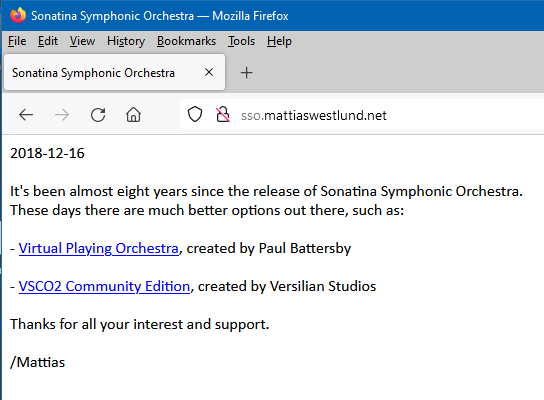
Sonatina Symphonic Orchestra http://sso.mattiaswestlund.net/
Creative Commons Sampling Plus 1.0 license.
The creator of Sonatina Symphonic Orchestra is fully aware of the use of his samples in Virtual Playing Orchestra without objection
(he has recommended the use of my sample library).
Mattias Westlund additional samples http://mattiaswestlund.net/samples/
Creative Commons Attribution-ShareAlike 3.0 Unported license
Mattias Westlund is fully aware of the use of his samples in Virtual Playing Orchestra without objection
(he has recommended the use of my sample library).
No Budget Orchestra https://github.com/ssj71/No-Budget-Orchestra
Attribution-ShareAlike 4.0 International (CC BY-SA 4.0)
The creator of No Budget Orchestra is fully aware of the use of his samples in Virtual Playing Orchestra without objection
(he's publicly stated he thinks I should have included more of his samples).
VSCO 2 Community Edition http://vis.versilstudios.net/vsco-2.html
CC0 1.0 Universal (CC0 1.0) Public Domain Dedication License
The creator of VSCO 2 Community Edition is fully aware of the use of his samples in Virtual Playing Orchestra without objection
(he has recommended the use of my sample library).
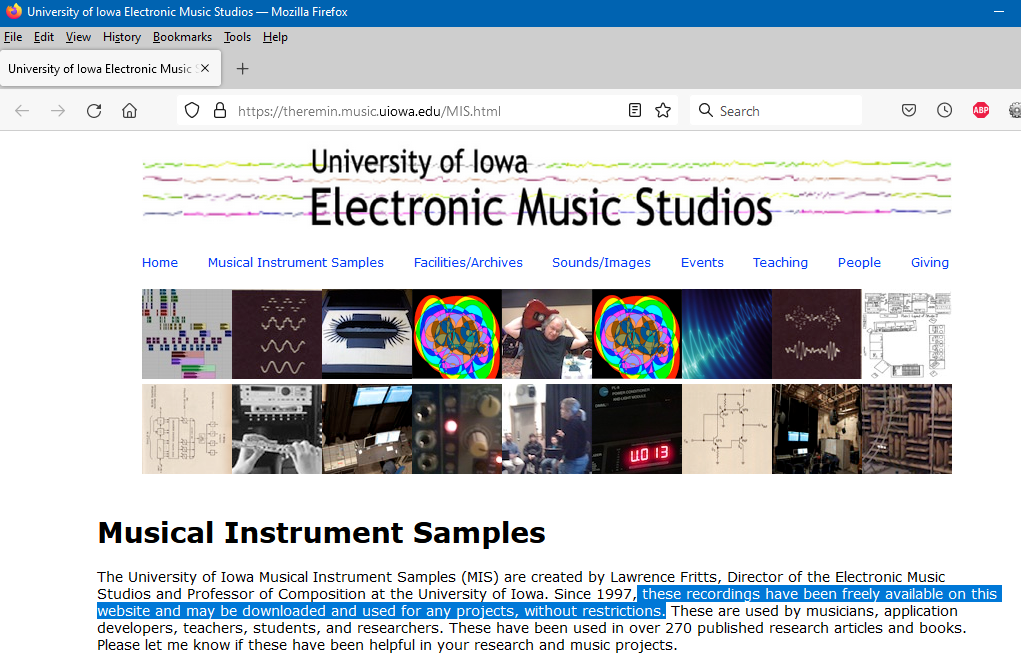
University of Iowa Electronic Music http://theremin.music.uiowa.edu/
"these recordings have been freely available on this website and may be downloaded and used for any projects, without restrictions"
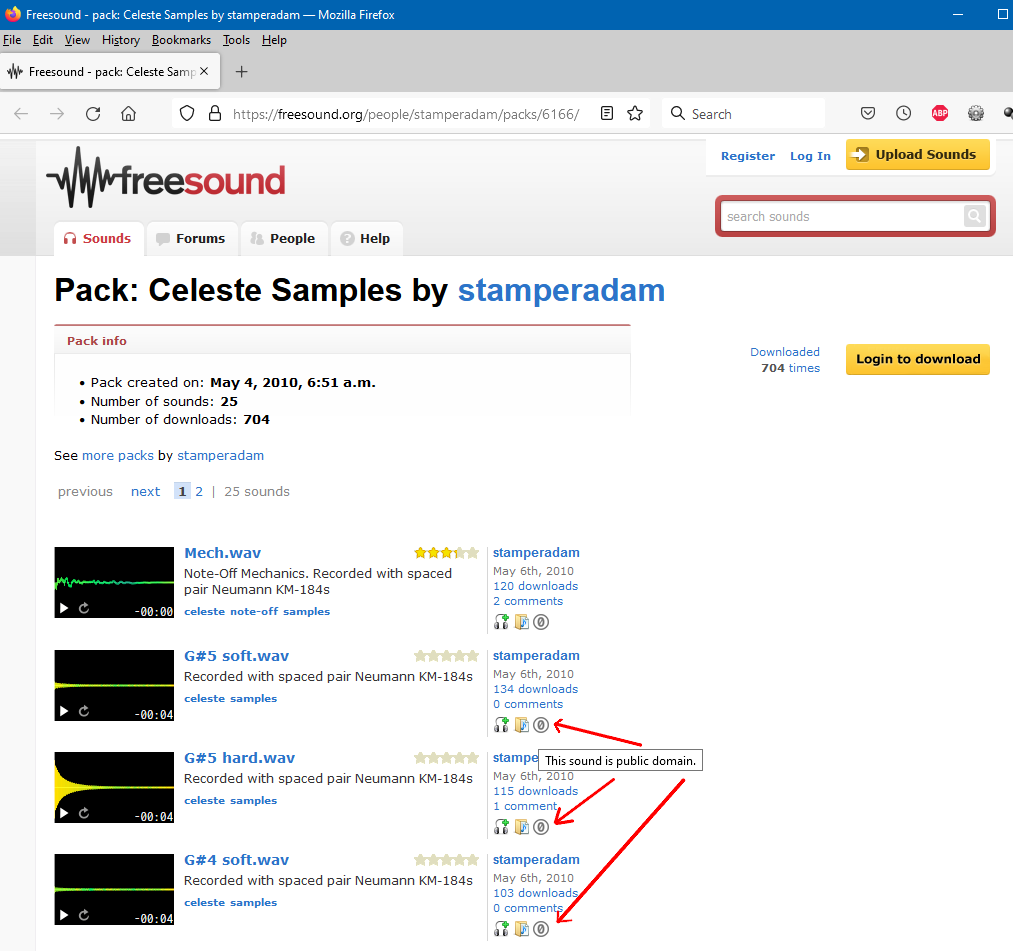
stamperadam https://freesound.org/people/stamperadam/
Creative Commons 0: "The person who associated a work with this deed has dedicated the work to the public domain by waiving all of his or her rights to the work worldwide under copyright law, including all related and neighboring rights, to the extent allowed by law."
You can copy, modify, distribute and perform the work, even for commercial purposes, all without asking permission
Support / License Screen Captures
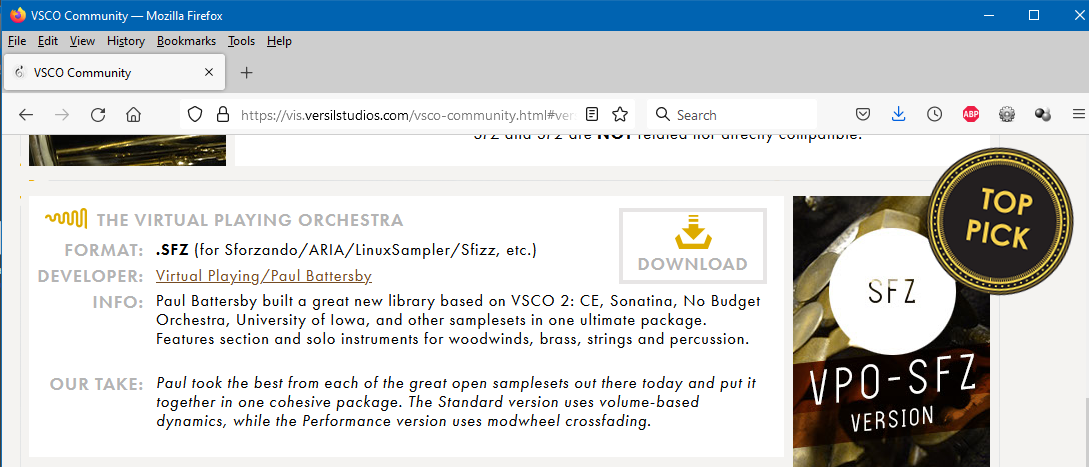
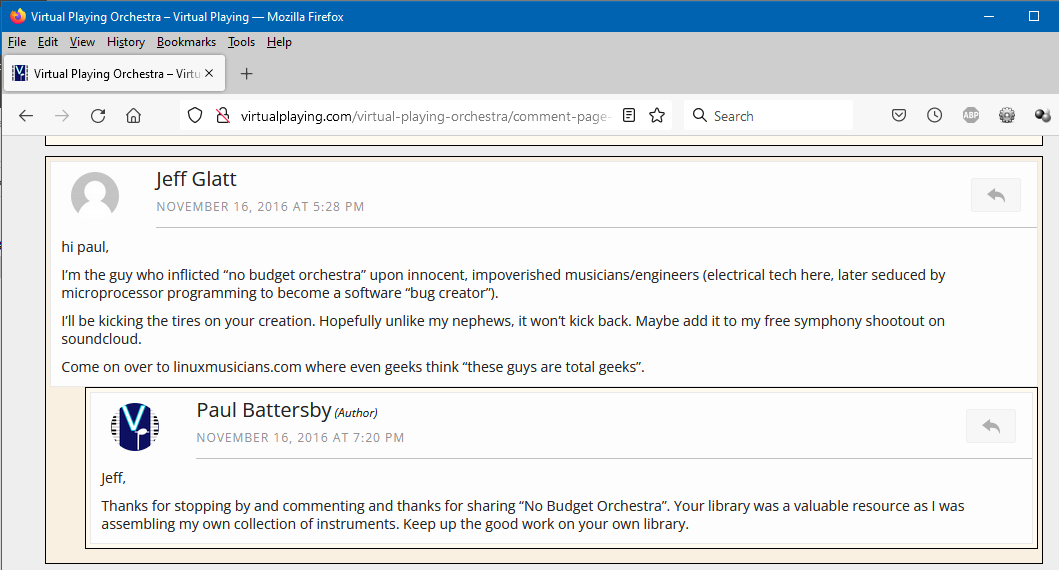
Click the links below to see screen captures of relevant licensing information from web sites that contributed samples to Virtual Playing Orchestra and evidence that Virtual Playing Orchestra is supported by developers of sample libraries that contributed to Virtual Playing Orchestra
Support from Sonatina Symphonic Orchestra / Mattias Westlund for Virtual Playing OrchestraSupport from No Budget Orchestra for Virtual Playing Orchestra
Support from VSCO2 Community Edition for Virtual Playing Orchestra
IOWA license – screen capture
Stamperadam license – screen capture
VPO has been my go-to for demo tracks for years, the legato patches actually sound decent once you learn the keyswitches. Still wild that it’s free.
Thanks for commenting. Glad to know it’s been useful for you!
Hi Paul,
I would like to use your instrument library for a resource I am creating for teaching Music to Year 7 & 8 students in high school. I am an Australian teacher and have built a few notation and pitch training softwares for students, but the free sounds I’m using now are rubbish.
Is this something you would allow? I intend on placing it behind a login screen, so it’s not just available to everyone.
Feel free to reply or email me if you have any questions.
Hi Darren. Virtual Playing Orchestra is a free sample library so yes, go ahead and let your students use it. I’m glad to know it will be used as a teaching resource.
Hi Paul,
thanks a lot for your astonishing work puttig the VPO together. I discovered it lately so it may be late for a comment. Up to now I used Sonatina Orchestra, but unfotunately many samples are too short, especially in slow music. Here is the VPO a real outcome. So, thanks again for really good work!
Nope. Not too late for a comment. I used Sonatina Symphonic Orchestra for a long time myself and some of that sample library still lives within Virtual Playing Orchestra. I was able to extend some of the short Sonatina Symphonic Orchestra samples to enable them to sustain much longer and add them to my sample library.
Hello! Thank you for making this orchestra available and for all the work you have put into it. I have not found a better playing or sounding orchestra for Linux that is free and works out of the box. I am composing with it in Ardour using sfizz. Is there a way to control the depth of the vibrato on the instruments? Thanks!
To control vibrato, open up a .sfz file in a text editor, and look for “pitchlfo”. To some instruments I’ve added vibrato using a low frequency oscillator. This helps disguise the loop points where a sample repeats to get infinite sustain. If that sfz opcode is not present, then any vibrato is part of the samples and you can not remove any vibrato but you can add more by adding the needed “pitchlfo” opcodes. For an example, see “oboe-SOLO-sustain.sfz” or any “oboe-SOLO-PERF” .sfz file. The setting of the values of the pitchlfo will likely need to be customized for each instrument.
Thanks! I’ll give that a try.
Hello sir! Thank you for this library which is very nice! Do you plan to extend it with more technics, such as harmonics or flatterzunge?
It works perfectly, by the way. Great library, thank you very much
For me to add harmonics or flutter-tonguing, I’d need to find free sample recordings of those techniques and I suspect those are not always common even for expensive, paid libraries. I don’t currently have any plans to expand the library but there was certainly no harm in asking. Hope you can make some good music with the Virtual Playing Orchestra sample library.
Hello,
Thank you for your work to provide this orchestra library that I wanted to download this morning.
The sfz scripts are available for download but not the folder containing the samples.
Is this a one-time problem or is there another storage space?
Have a nice day
Lionel
The link to download the samples is randomly selected from 3 different sources. It appears one of the links no longer works. Reload the Virtual Playing Orchestra web page and try again. One of the remaining two sources should work.
thank you very much,
I was able to get another working link and I got the sounds back.
I’m glad you were able to download the samples. Thanks for letting me know there was a problem.
Audiolayer: When importing the Performance files through .SFZ into Audiolayer (ios). There is no sound to be heared, i can download the Audiolayer series of Virtual playing orchestra, but would love to use the performance with MOD.
Is there an error message? Also, can you confirm that all the files are correctly installed and match the picture given in the installation instructions?
There is no error message, everything loads in fine, i can even see the samples. But no sound . I have done exactly as said in the “manual” and my filestructure is exactly the same as the picture. I think the problem is : That Audiolayer needs is sfz files next to a ‘samples” folder where the samles are in.
I’ve been reading a bit about it, but can’t find much information. Thank you for your reply
> Audiolayer needs is sfz files next to a ‘samples” folder where the samples are in
If that’s the case then Audiolayer is ignoring or misreading the path to the samples information stored in the .sfz file. It shouldn’t work that way.
I’m not familiar with Audiolayer so all I can suggest is contact the makers (or some users) of Audiolayer. Perhaps they can suggest a solution to the problem, but if everything is properly installed, it seems Virtual Playing Orchestra works with many other .sfz players so the issue might be with Audiolayer itself.
If you do discover the cause of the problem, please let me know.
Yes i think you are right, and that the problem lies with Audiolayer and the way it stores it samples. As i bought it exclusively to play with your .sfz performance with modulation, i can still refund it. So not that big of a problem. Any other sfz player (auv3) for IOS that you would recomment, that is sure to play your samles?
Responding to my own question, i tried a couple of sfz players on ios, and isfizz (a 3 dollar app) works flawlessly with your sfz’s, thank you for your time, and for putting such a great library together!
I’m glad to know you found an alternative. I’d hate it if you wanted to use my sample library but were unable to. Thanks for letting me know.
Hi Paul, Thank you so much for compiling this wonderful SFZ library. It’s a huge deal especially when free options for orchestra stuff are scarce.
I don’t know if this is the right place for making feature requests, but I was wondering if it’s possible to add a control or parameter that changes the starting point of the samples, for example to skip the long attack of sustains. Nucleus Orchestra has a knob that controls this and it’s been a huge help for creating snappier phrases, but that is a paid library. I’m also aware of just layering staccato with sustain to get a snappier attack, but it’s not quite the sound I want for some songs.
I have not looked too deep into the SFZ specification so I am not even sure if this is possible, but if it is, I think this would be a great feature. Thank you.
There are two things you could try with the existing library without needing to change anything. Within the “standard orchestra” version, try using the MOD wheel and the “normal mod wheel” patches. The MOD wheel adjusts the attack of the sound. Better still, (and this is what I exclusively use) try the “performance orchestra” version. How quickly you hit a key determines the attack of the note and the MOD wheel adjusts the volume. So play slowly and you get a slow attack. Play quickly and you get a fast attack or even a staccato note if you like.
hi sir, thanks for your contribution.
i just want to ask that what will happen if ‘standard orchestra ‘ & ‘performnce orchestra’ both are extracted ?? will only one operate ?
If you extract both versions of the library to the same sub-directory, they should both still work, though that might get a little confusing. During extraction you may be asked if you want to overwrite existing files, say yes. It’s safe. It’s only going to overwrite duplicates.
You could also create 2 sub-directories, and place the standard orchestra with a copy of the wave files in one sub-directory and the performance orchestra in a different sub-directory with another copy of the wave files. See the installation instructions for how the sub-directories should look to ensure the wave files are placed in the correct spot.
For example, you could extract the standard orchestra and the wave files to a directory called “vpo-standard”. Then install the performance orchestra to “vpo-performance” and copy the “libs” directory from “vpo-standard” to “vpo-performance”, but of course you can name these sub-directories anything you like.
Hi paul,First of all thanks for taking the time to compile all these in one place. I was looking to create a decent sampler patch for this and obviously redistribute for free no pay wall or anything. reason for doing so are for true cross platform and compatibility on linux based distros. really all i have done is create a mapping for the decent sampler format for each .sfz, question is do you think i’ll have any problem with re-distributing them even if i include the same license as the original files have not been modified?
Thanks again.
I don’t see why there would be any licensing issues. If you look at the “Support / License Screen Captures” section below the licensing section you’ll see that re-distributing the files is supported by all the original sources.
thanks for clarifying this. Have you any interest in putting these DS presets up on here or this website? i am currently using extreme sample converter for the .sfz input mappings and .sfz mapping as the output this way i can actually load each patch into Decent Sampler as .sfz and save as a .dspreset (just xml) file.
I don’t want to host any other files but I’d be happy to provide a link from my download section to your Decent Sampler version. Also, you might want to check to make sure that all the .sfz opcodes I’ve used have their equivalent Decent Sampler opcodes otherwise the result might not sound right.
thanks again Paul.
https://github.com/eodowd/VirtualPlayingOrchestra
is the link for the github repo it’s still a work in progress and will take some time to complete.
Let me know when it’s done and ready for everyone to use and I’ll update the download section to let people know you’ve completed a Decent Sampler version and don’t forget to include a link and credit to the original source (my web site) for Virtual Playing Orchestra on your github repository.
Hi,
Is it possible to add a tiny reverb to the sfz file? Just so you hear that it is there, not much but noticed.
I definitely recommend adding some reverb but inside the sfz file isn’t the place to do that. You’d add reverb inside your DAW (Digital Audio Workstation) to the track in your DAW that is playing back the sfz you’ve place on that track.
Thank you so much! I tried very hard to find a free trumpet vst that didnt have an insane ringing in the sound. This is so much better.
Glad to know you like the trumpet sound. Thanks for leaving a comment!